
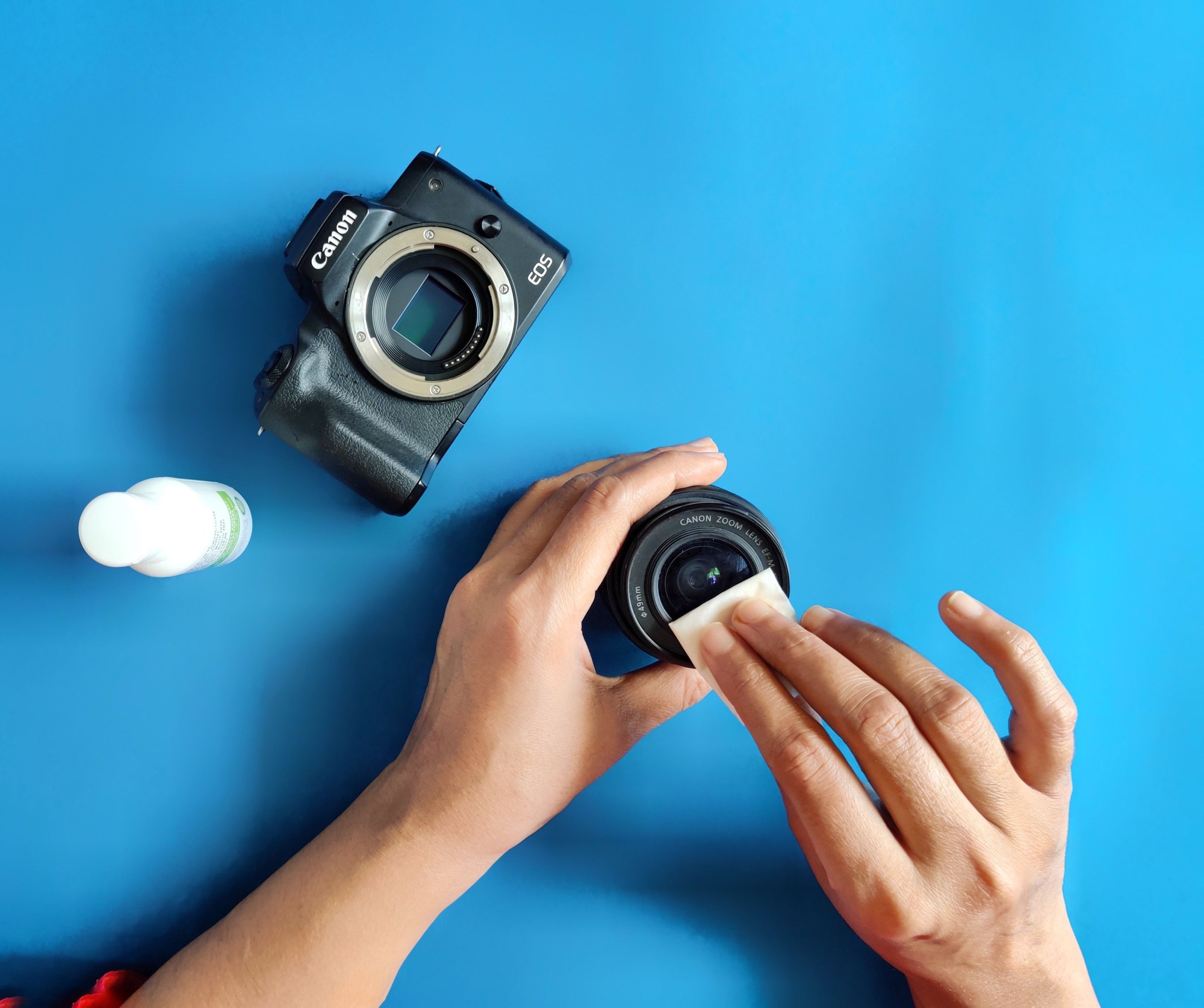
What this is
Clean your camera with the gentlest method first, and move to a stronger one only when the gentle one fails. Each maker’s advice follows that order. A hand blower and the camera’s built-in sensor cleaning come first. Touching the sensor comes last, if at all. Fujifilm warns that if you damage a sensor yourself, the repair is chargeable.
This matters most when you see a problem. Say you shoot a landscape at f/16 and f/22 and the same dark specks appear in the sky on frame after frame. Or a day on the coast leaves a salty haze on your front element. It is tempting to reach for canned air or a household spray. Canned air can spray droplets onto the sensor, and Canon warns against cleaners with organic solvents on lenses and bodies.
What you need
- Bulb blower. a rubber blower you squeeze by hand, with a clean nozzle, for moving loose dust with air alone. Choose one without a brush tip, because Fujifilm’s manual, and reportedly Nikon’s, forbid blower-brushes on the sensor.
- Microfiber cloths. keep 2 clean ones, one for the wipe with fluid and one that stays dry for the final buff.
- Lens cleaning fluid. an optical solution such as Eclipse or Pan-cro, used 1 or 2 drops at a time. Avoid cleaners with organic solvents, the strong chemicals found in many household sprays, which Canon warns against.
- Soft lens brush. a fine, clean brush for lifting grit off the front element before anything touches the glass. Use it on lenses only, not on the sensor.
- Body cap and lens caps. a cap for the body plus front and rear caps for every lens, so dust has less chance to get in.
- Sensor swabs and fluid, for experienced users only: lint-free swabs sized to your sensor, such as full-frame swabs for a full-frame camera, plus the solution the swab maker names. One guide also uses PEC pads, a type of cleaning wipe.
- Loupe and a bright light. a loupe is a small magnifier, and a handheld microscope also works. They help you confirm a spot is on the sensor before you act. One guide puts a sensor loupe at about $40.
- Charged battery. you need power to reach the sensor, and on a DSLR the mirror stays locked up during cleaning. This is common advice, though it was not found in a maker’s manual.
Step by step
- Keep dust out first. Change lenses in a clean, still spot with the camera pointing down, and cap the body whenever no lens is fitted.
- Confirm the problem. Put the camera on a tripod, set f/22, add about 1 stop of extra exposure, and photograph a plain white wall. Check the frame at 100% on screen for dark specks.
- Rule out the lens. In live view, turn the camera slowly while you watch the screen. A spot that stays fixed in the frame while the scene moves is on the sensor.
- Run the built-in cleaning. Start the sensor cleaning function in the camera menu, then shoot the test frame again. Canon and Fujifilm both list this as step one.
- Blow with the mount facing down. Remove the lens, point the mount at the floor, and squeeze the bulb blower a few times without letting the nozzle touch anything. Facing down lets dust fall out instead of settling back on the sensor.
- Retest, then decide. Shoot the f/22 test again and repeat the blower if needed. If spots remain, or look like smears, book a service clean, as Canon advises. Canon reportedly notes that lubricant from inside the camera can occasionally reach the sensor, and a blower is unlikely to shift an oily smear.
- Wet clean only if you have done it before. Canon, Nikon and Fujifilm all advise against touching the sensor. If you go ahead, put 1 or 2 drops of the named fluid on each side of a fresh swab, make one gentle pass, then use the other side for the return pass. Throw the swab away and retest, because a reused swab can drag dirt back.
- Clear grit off the lens. Blow loose dust off the front and rear glass, then lift anything stubborn with the soft brush in circles from the centre. Wiping grit around can scratch the coating, the thin layer on the glass surface.
- Wipe the glass. Wrap a microfiber cloth around a fingertip, add 1 or 2 drops of lens fluid to the cloth, and wipe in circles from the centre to the edge. Fluid on the cloth, not the glass, keeps liquid from running to the rim.
- Buff dry. Go over the glass again with a dry part of the cloth, or a second cloth, using light circles.
- Clean the body and screen. Brush and blow dust out of the dials and seams, then wipe the body and LCD with a soft, dry cloth, pressing lightly and never scrubbing. If water gets on the camera, dry it with a dry cloth.
- Cap and store. Refit the body cap or a lens, and put front and rear caps on every lens. If you own a sensor brush, blow it clean before storing it.
Tips
- Skip canned air. Aerosol dusters and compressed-air lines can spray droplets or fluid onto the sensor. A hand bulb blower is the standard alternative.
- Never use your breath. Blowing with your mouth can put tiny droplets on the sensor, so use the bulb even for a quick fix in the field.
- Brushes split opinion. Many photographers’ guides recommend a charged sensor brush, but Fujifilm’s manual, and reportedly Nikon’s, forbid brushes on the sensor because the bristles could damage it. To stay within the makers’ advice, use only the blower.
- No plain cotton buds. Use a cotton swab only if it is wrapped in sensor-wipe or microfiber material.
- Salt air needs a damp cloth. After a shoot by the sea, Canon reportedly advises wiping the body with a well-wrung damp cloth, then drying it. Blow loose grit off the front element before you wipe it.
- Use alcohol-free wipes on the body. For grime on the grip and around the dials, one guide suggests wet wipes labelled 100% alcohol free, never solvent cleaners.
- Weigh the cost first. One guide estimates a home lens and sensor kit at about $80 to $100, and a professional sensor clean at about $70 to $80 per visit. It suggests doing your first wet clean on an older camera.
- Wedding-day habit. In a dusty hall, keep the body cap on between lens swaps and change lenses with the mount facing down. In a quiet moment, a live-view rotation check shows whether any dust is stuck to the sensor.